|
The Tool Bar This Help File Page was last Modified on 03/29/2013 |

|

|
|
|
The Tool Bar This Help File Page was last Modified on 03/29/2013 |
|
|
The Tool Bar
This Help File Page was last Modified on 03/29/2013
|
The Tool Bar This Help File Page was last Modified on 03/29/2013 |
|
|
|
|
The Tool Bar This Help File Page was last Modified on 03/29/2013 |
|
|
| □ | The Tool Bar option includes six menu items - each with their own set of Icons: |
| • | Application Shortcuts - Icons (and optional Function key access) providing access to the most common functions needed by Operators. |
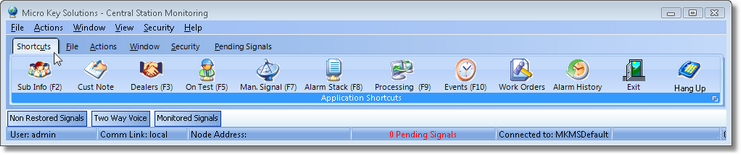
Tool Bar options showing the Shortcut Menu's Icons
| • | File - Icons for dealing with the MKMSCS Log File. |
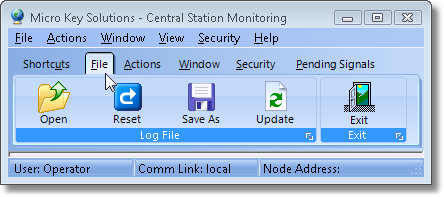
Tool Bar options showing the File Menu's Icon
| • | Actions - Icons to activate system and monitoring specific functions. |
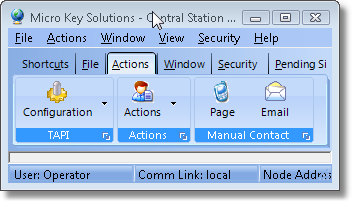
Tool Bar options showing the Actions Menu's Icons
| • | Window - Forms organizational tools. |
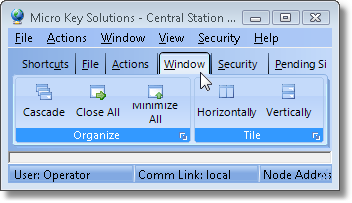
Tool Bar options showing the Window Menu's Icons
| • | Security - Log out and Shift change options. |
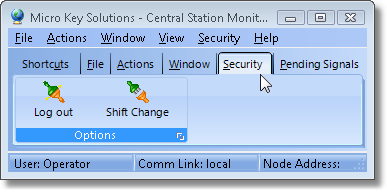
Tool Bar options showing the Security Menu's Icons
| • | Pending Signals - Displays signals that are pending Operator Action within each Priority level. |
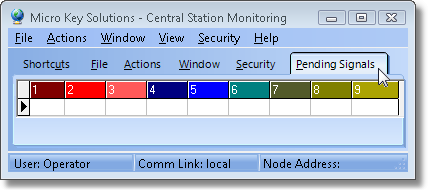
Tool Bar options showing the Pending Signals display