|
Security This Help File Page was last Modified on 07/11/2013 |

|

|
|
|
Security This Help File Page was last Modified on 07/11/2013 |
|
|
Security
This Help File Page was last Modified on 07/11/2013
|
Security This Help File Page was last Modified on 07/11/2013 |
|
|
|
|
Security This Help File Page was last Modified on 07/11/2013 |
|
|
| □ | Security - Quick and easy to use Log out and Shift Change options are offered. |
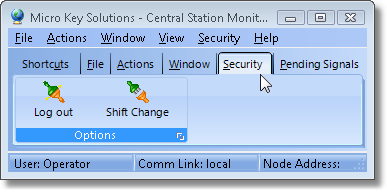
Tool Bar options showing the Security Menu's Icons
| • | Log out - Click this button to Close the Users current session. |
| • | Press Ctrl+F9 to directly access the Log out dialog. |
| • | Shift Change - Click this button to Close the session for the current Operator and immediately open the MKMSCS Login dialog for the next Operator. |
| • | Press Shift+F9 to directly access the Shift Change dialog. |
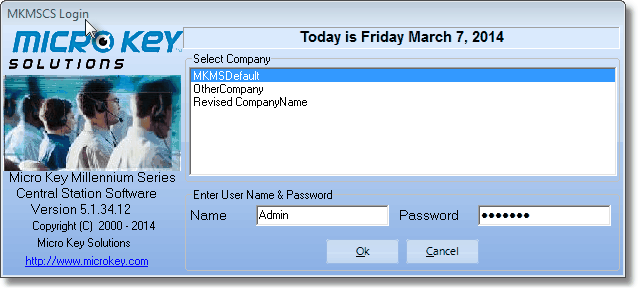
MKMSCS Login dialog
| • | Name - Enter the Login Name assigned |
| • | Password - Enter the Password assigned |
| • | Click the OK button to complete the login process. |
| • | To re-access the MKMSCS Desktop menu options, someone must Click Log In to open the MKMSCS Login dialog for the next Operator. |
