|
History This Help File Page was last Modified on 12/27/2012 |

|

|
|
|
History This Help File Page was last Modified on 12/27/2012 |
|
|
History
This Help File Page was last Modified on 12/27/2012
|
History This Help File Page was last Modified on 12/27/2012 |
|
|
|
|
History This Help File Page was last Modified on 12/27/2012 |
|
|
| □ | It is useful for an Operator to be able to view a Subscriber's Signal History while Processing an Alarm Signal for them. |
| • | The History tab on the Signal Processing Form provides immediate access to a list of all Alarm Signals previously recorded for that Subscriber. |
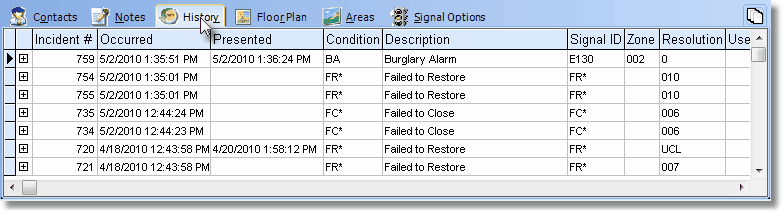
History tab on the Signal Processing screen
| • | The History tab also offers a "drill down" option. To use it: |
| • | 4The Operator must Select a particular record, indicated by the record pointer4. |
| • | Click the + sign next to record pointer to open an Alarm History Detail box. |
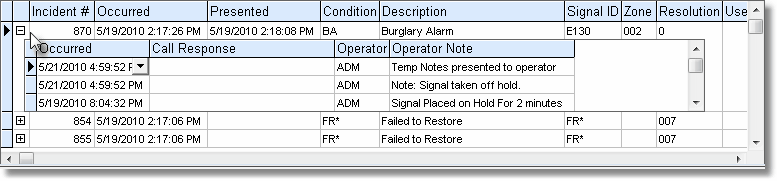
History tab with Alarm Signal Detail box opened
| • | Click the - sign next to record pointer to close the Alarm History Detail box. |
| • | Click any other Action tab to close the History tab. |
| ► | Note: See the Alarm History Lookup and the History chapters for additional information about accessing a Subscriber's Alarm Signal History. |